Track every batch from start to finish.
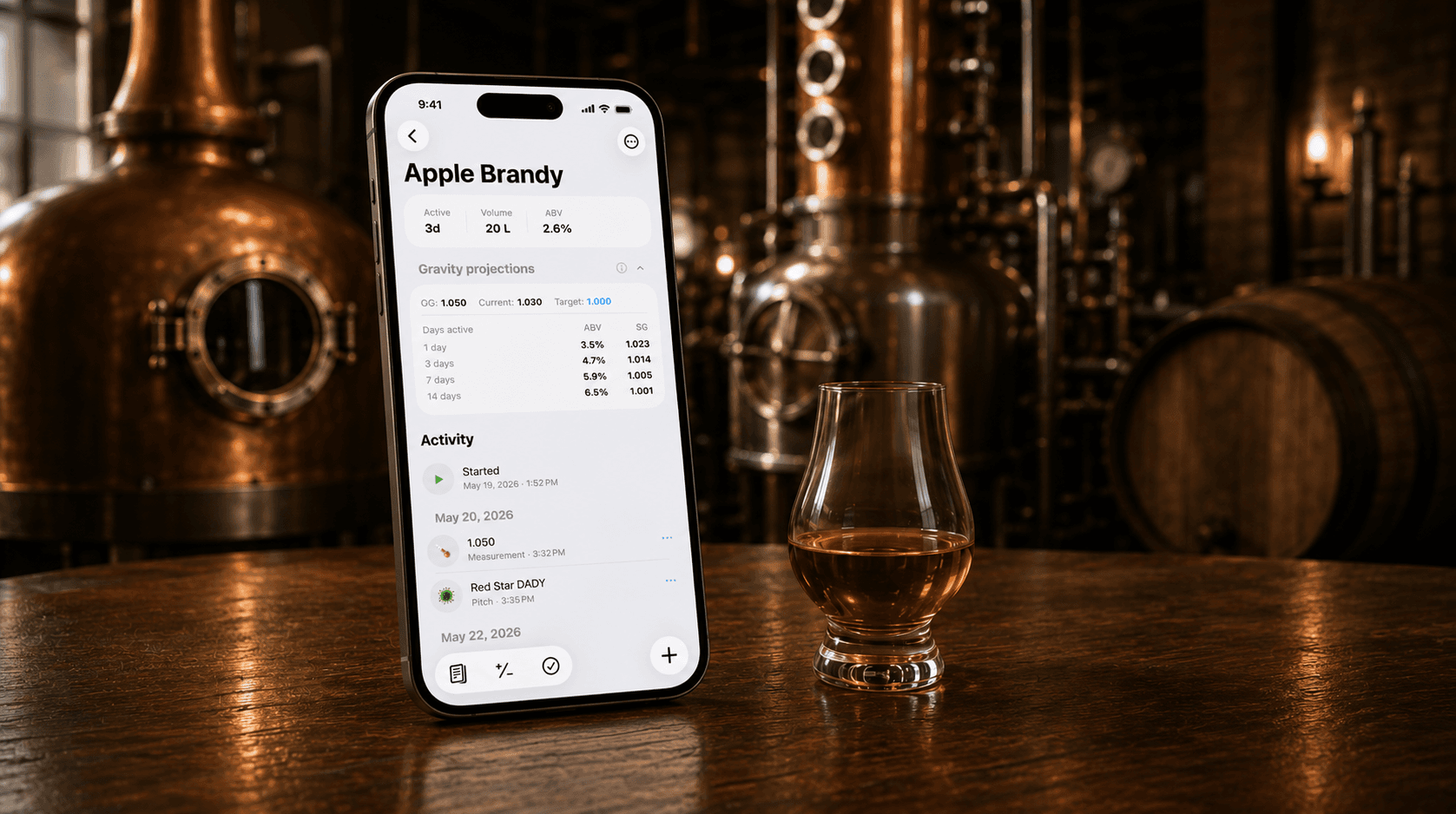
Mashpad is a production log for fermenting, distilling, aging, and bottling. Plan recipes, estimate yield, and keep your inventory honest. All on your phone, fully offline, no account needed.
iOS 17+ · iPhone & iPad · No account required
What it does
Everything a distiller needs.
Production logs, recipe plans, calculators at every stage, inventory you can trust — in one app.
Production logging
Capture every run end to end — wash, distillate, aging, bottling. Notes, gravities, temperatures, additions: all in one timeline per batch.
Recipe planning
Plan with target gravities, ABV, cut points and ingredient ratios. Reuse recipes across runs and tune them as you learn what your still likes.
Estimated yield
Conservation-of-alcohol math, applied to splits and cut weights you set yourself. Defaults are editable per fermentable and per still — tune them as you learn your equipment.
Inventory tracking
Distillates, ferments, aged spirits, bottled stock — see what you have, where it lives, and how it's moving over time.
How it works
A run sheet that follows the spirit.
Every batch moves through five stages. Mashpad gives each stage its own structured log — and stitches them together so you can trace a bottle back to its mash bill.
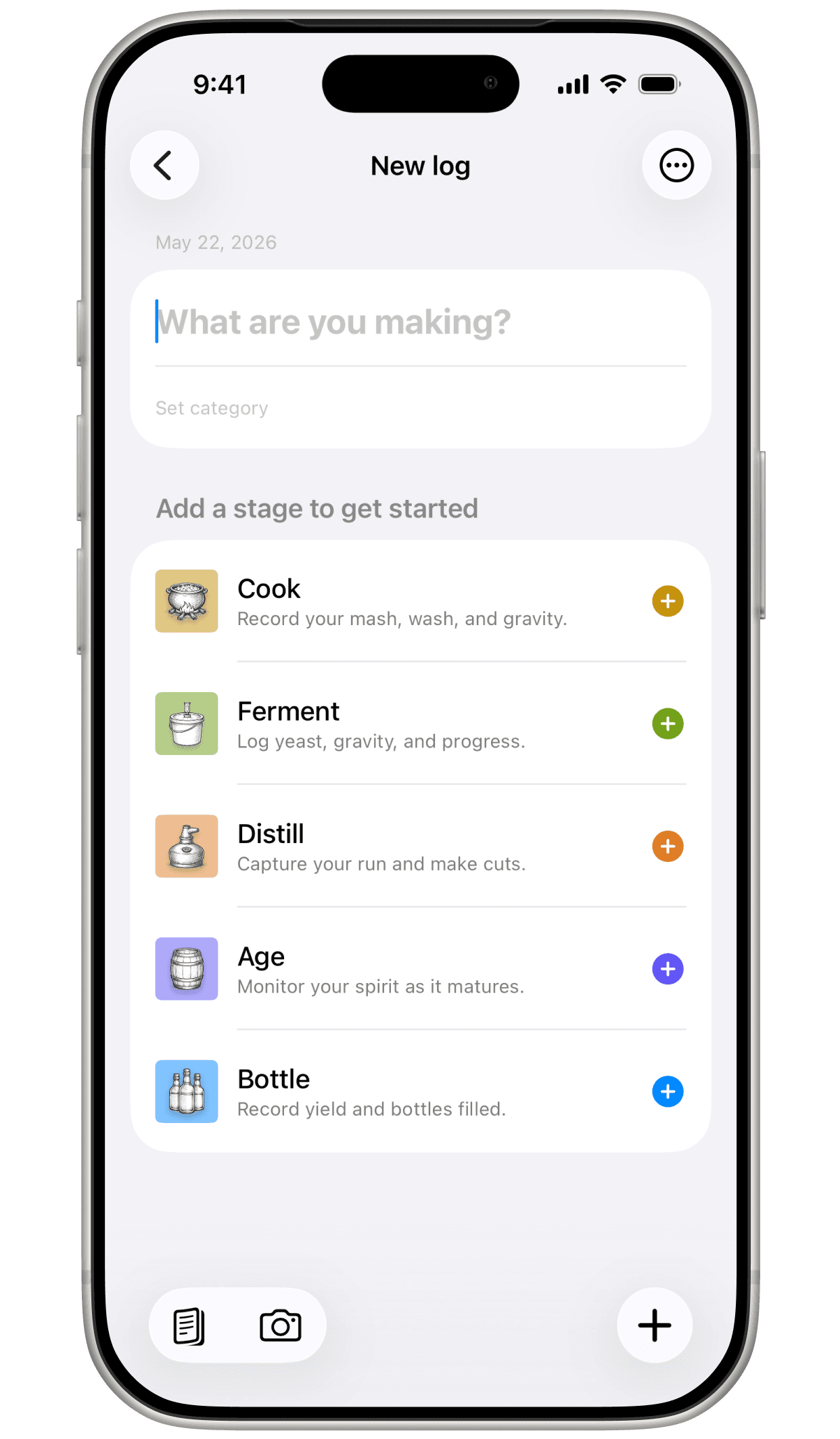

Stage 01
Mash
Where grain becomes sugar. Capture your grain bill, strike water, mash rest steps, and the gravity coming off the mash. Recipes carry their mash schedule forward, so the next time you brew the same wash, it's already laid out — with the Mash Water and Grain Yield calculators a tap away.
- Grain bill & weights
- Strike temp & mash rest steps
- Pre-boil gravity
Stage 02
Ferment
Pitch, watch, wait. Log starting and finishing gravity, yeast pitch, temperatures over time, nutrients and additives. ABV from Gravity, Temperature Correction, and Wash Alcohol Content calculators sit one tap away.
- Starting & finishing gravity
- Temperature & timing notes
- Yeast, nutrients, additives

Stage 03
Distill
Log each cut as it happens — foreshots, heads, hearts, tails — with volumes, ABV off the parrot, and run notes. The Cut Point Estimator and Theoretical Yield calculators use your wash profile and still preset to predict the run before you fire it.
- Foreshots → heads → hearts → tails
- Parrot ABV per fraction
- Cooling & run notes

Stage 04
Age
Park hearts in a barrel, on oak, or in glass. Set a target window, log samples as they happen, and keep tasting notes on the same timeline as the spirit's origin. Barrel Entry Proof and Angel's Share calculators handle the math.
- Vessel & oak profile
- Sample notes over time
- Target & racking dates

Stage 05
Bottle
Blend, proof to target, count bottles. Mashpad runs the math — Blend Spirits, Bottles From Batch, Proof Gallons for TTB — and writes the final inventory entry against the same batch you started months ago.
- Blend & proofing math
- Bottle counts & sizes
- Auto-rolls into inventory
Recipes tab
Plans that carry forward.
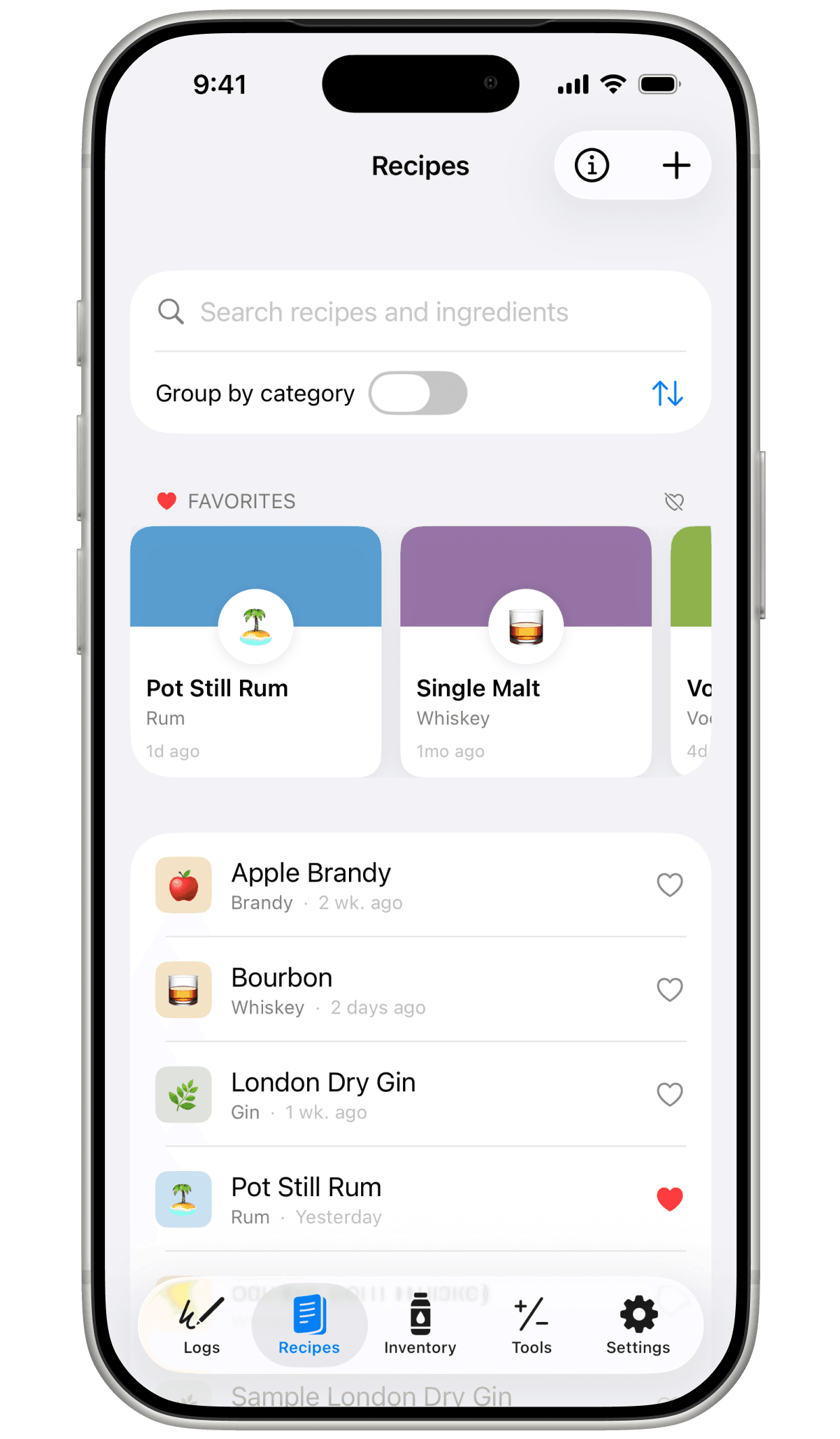
A recipe in Mashpad isn't just a grain bill — it's the full lifecycle template. Mash schedule, ferment profile, distill plan, aging targets, all in one place. Start a new batch from a recipe and the run sheet comes pre-filled; tune as you go, then save the adjustments back to a new version when you're done.
Recipes can be created from scratch or grown out of a run you already logged. Either way, the trail between recipe and batch stays intact — recipes know which runs used them, runs point back at the recipe they came from.
Multi-stage templates
A recipe holds your mash, ferment, distill, and age plans — fields pre-fill when a new run starts.
Versions
Tune as you go, save the run's adjustments back to a new version, and keep the history.
Favorites & templates
Pin the ones you brew often. Mark workhorse recipes as templates for fast new-batch setup.
Last made
Sort by what you've actually been working on — not what you typed first six months ago.
Linked to runs
Every recipe knows which batches used it; every batch points back at the recipe it came from.
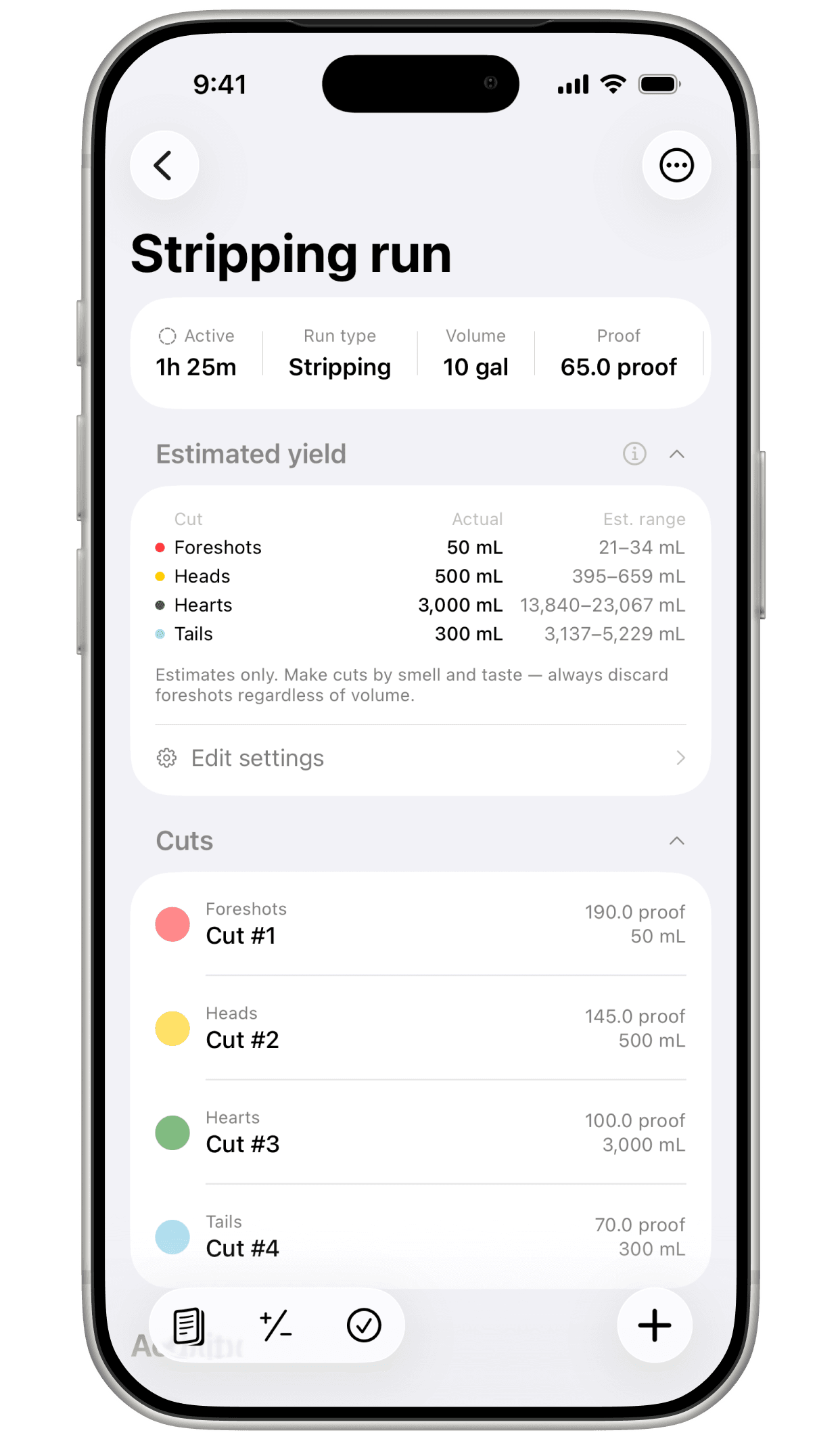
Estimated yield
Tuned to your wash. Tuned to your still.
Yield in Mashpad starts from conservation of pure alcohol — the ethanol you end with can't exceed the ethanol you started with — and then divides it across the cuts using values you set.
Typical splits describe what's in the boiler: how a given wash tends to distribute alcohol across foreshots, heads, hearts, and tails. Cut weights describe what your still does to that distribution — a pot still pulls heads up; a packed column tightens hearts.
Both tables are fully editable, per fermentable and per still. As you run more batches and learn how your equipment actually behaves, tune the tables — and the estimates track closer to what you'll really pull off the run.
Wash profiles
Defaults from the app's Cut Point Estimator. Share of total ethanol you'd expect in each cut, before the still's character is applied.
| Wash | Foreshots | Heads | Hearts | Tails |
|---|---|---|---|---|
| Grain Mash | 1% | 8% | 70% | 21% |
| Sugar Wash | 0.8% | 9% | 63% | 27.2% |
| Fruit Wash | 2% | 15% | 55% | 28% |
| Spirit Run | 0.5% | 6% | 79% | 14.5% |
Still presets
A few of the 13 shipped presets. Multipliers applied to the wash profile — a pot pulls heads up, a column tightens hearts.
| Still | Foreshots | Heads | Hearts | Tails |
|---|---|---|---|---|
| Alembic Pot Still | 1.20× | 1.10× | 0.95× | 0.90× |
| Hybrid Pot w/ Dephlegmator | 0.90× | 0.90× | 1.10× | 0.90× |
| Packed Reflux Column | 0.60× | 0.70× | 1.15× | 0.75× |
| 10+ Plate Neutral Column | 0.50× | 0.60× | 1.25× | 0.75× |
Cuts & Blending
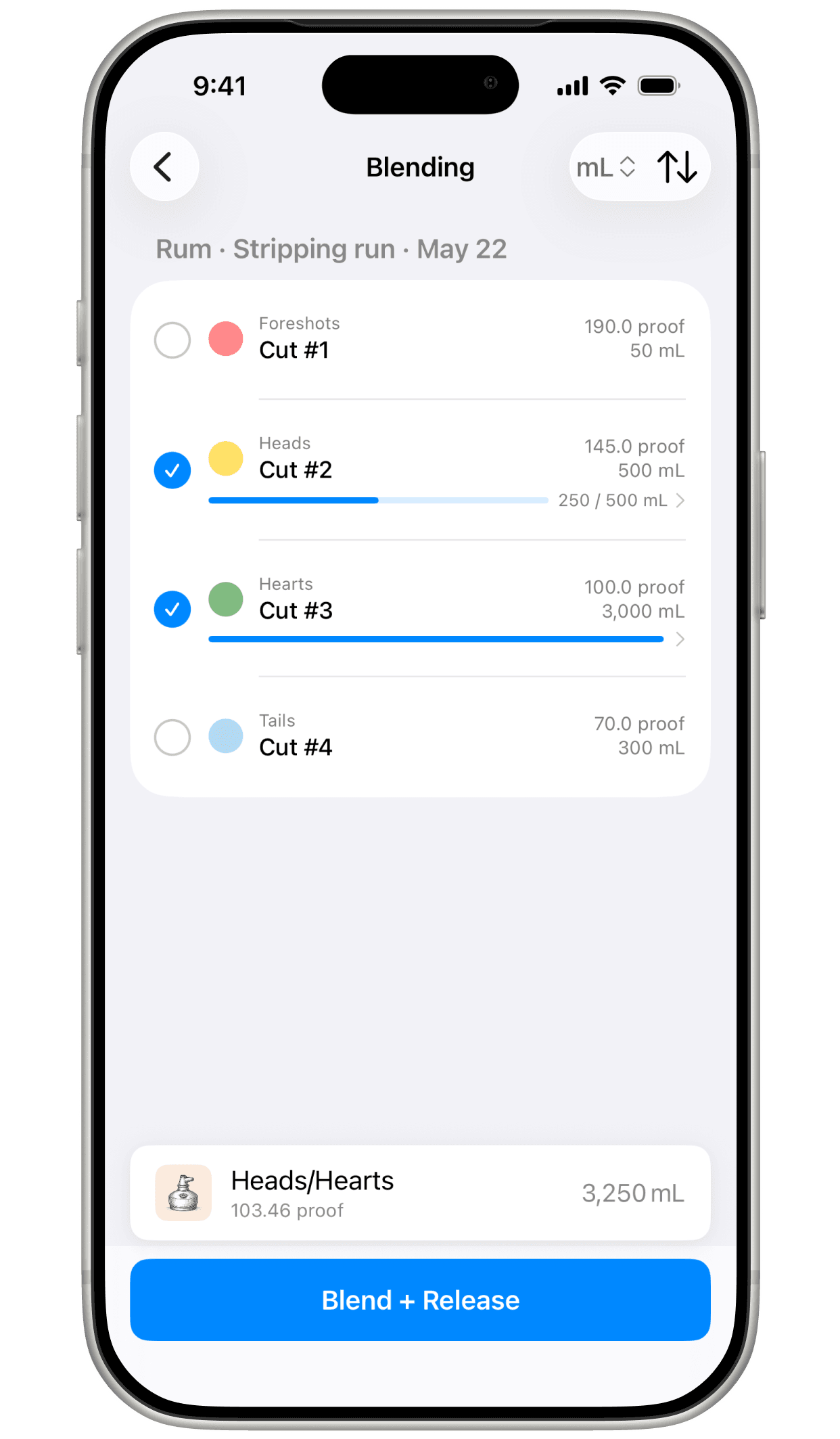
Blend from any cut. Any run.
Mashpad treats every cut as a pool you can draw from — and partial volumes are welcome. Pull a fraction of one heads cut, all of another's hearts, hold the tails back entirely. The blended volume and proof update live as you tick boxes; what you don't allocate stays in the pool for the next blend.
When the result is what you want, release it as a single named inventory item — ready to age, dilute, or bottle. The cuts you drew from still know where they went.
Partial cuts
Pull 250 mL of heads from one cut, all of another, hold the rest back. The volume you don't allocate stays available for the next blend.
Across runs
Combine cuts from different runs into one release — heads from a stripping run, hearts from a later spirit run.
Live blend math
Volume and blended proof update as you tick boxes. No spreadsheet, no second-guessing the average.
Named releases
When you're happy, release the blend as a single named inventory item — ready to age, proof, or bottle.

Tools tab
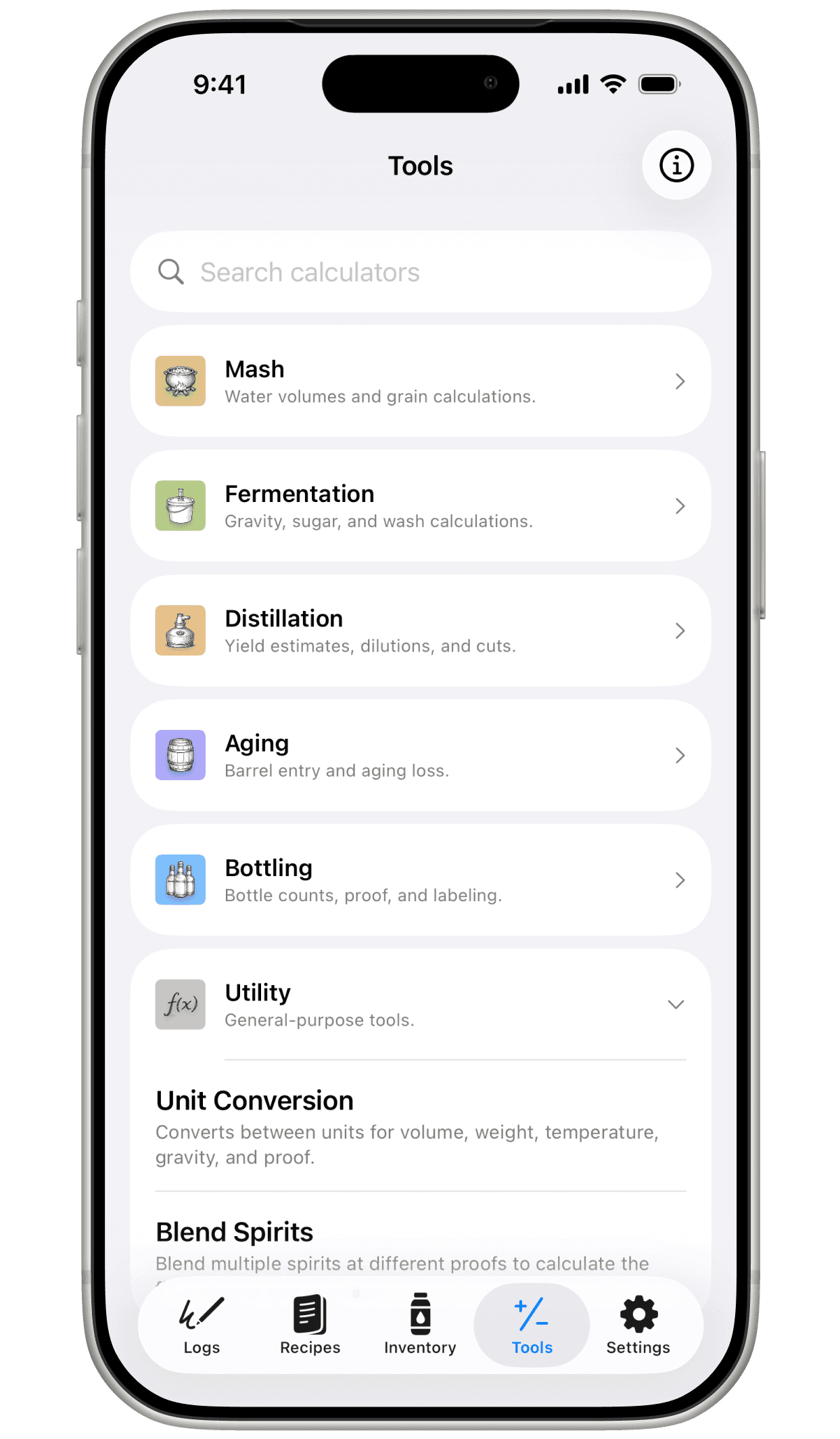
Nineteen calculators. Always one tap away.
Mashpad ships with a full Tools tab — and every stage screen surfaces the calculators relevant to where you are, so you don't have to go hunting mid-run. Six categories, searchable, with favorites for the ones you keep coming back to.
Mash
2Water volumes and grain calculations.
- Mash Water
- Grain Yield
Fermentation
5Gravity, sugar, and wash calculations.
- Sugar Wash
- Sugar Addition
- ABV from Gravity
- Temperature Correction
- Wash Alcohol Content
Distillation
6Yield estimates, dilutions, and cuts.
- Theoretical Yield
- Stripping Run Output
- Spirit Run Dilution
- Cut Point Estimator
- Reflux Ratio
- Heating Time
Aging
2Barrel entry and aging loss.
- Barrel Entry Proof
- Angel's Share
Bottling
2Bottle counts, proof, and labeling.
- Bottles From Batch
- Proof Gallons (TTB)
Utility
2General-purpose tools.
- Unit Conversion
- Blend Spirits
Inventory tab
Every spirit, every stage, traceable.
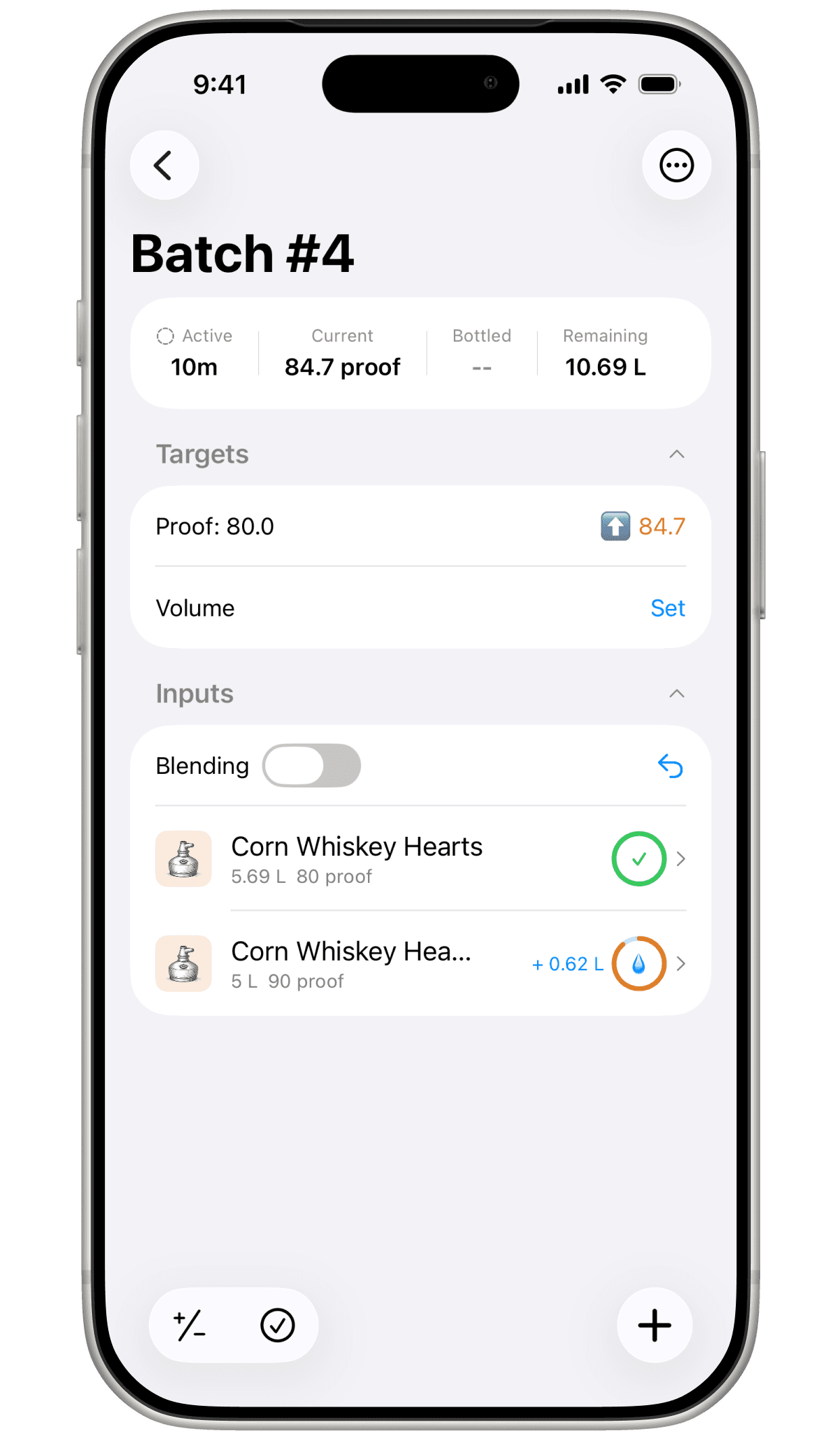
Inventory in Mashpad isn't just a bottle count. It's a live picture of everything you own across every stage — and each item points back at the batch it came from. Volume in, volume already promised to the next run, volume still on hand, all reconciled.
Distillate
Released straight from a still — cuts you're holding before they go anywhere else.
Fermented
Released from a ferment — wash, beer, wine, mead, anything you haven't (or won't) distill.
Aged
Released from an aging vessel — what's on oak, in glass, or under any other resting program.
Bottled
Released from a bottling run — the finished count, on the shelf, ready to drink or sell.
Stock items hold proof, volume, allocated volume, and the origin log that produced them — so you can always answer "how much do I have, where did it come from, and what's already spoken for."
Your data
Yours. Local. Backed up.
Mashpad runs on your device — fully offline, no account required, no servers in the loop. Your batches, your recipes, your inventory: they stay where you put them.
No account, no cloud sync
Mashpad never asks you to sign up. There's no server, no telemetry, no analytics watching what you brew.
Daily local backups
Mashpad writes a backup file to your device every day. Find them in the Files app, drag them to iCloud Drive, AirDrop them — they're yours.
Portable export format
Backups are plain JSON, decoupled from the app's database schema. Old backups stay readable even as the app evolves.
Pricing
Free to start. Bought once, if you keep going.
Log two batches for nothing and decide from there. If Mashpad earns a spot at your bench, one payment unlocks it — no subscription, no account, nothing to cancel later.
Free
$0
Download and start logging
Two logs at a time. Starting a third means deleting one of them first.
- Two logs at a time
- Every calculator and recipe tool
- Inventory, blending, and yield estimates
- Daily local backups and full export
Unlimited Logs
$19.99
One-time purchase
Run as many batches at once as your shed, garage, or rickhouse can hold.
- Unlimited logs
- Everything in Free, unchanged
- No subscription, no renewal
- Restores on your other devices
Prices shown in US dollars; the App Store charges the equivalent for your region. Purchases are handled by Apple — see the Terms for the details.
FAQ
Questions, expected.
If you don't see what you're looking for, the support page has an email address that goes straight to the developer.
Who is this app for?
Licensed craft distillers who want a structured production log, hobbyist distillers in jurisdictions where home distillation is legal, and educational or research use. If you keep notebooks at the bench, Mashpad is for you.Is home distillation legal?
It depends on where you live. In the United States, distilling spirits at home without a federal permit is illegal regardless of state law. In several other countries, hobbyist distillation is legal — sometimes with volume or licensing limits. Mashpad is intended for licensed distillers, hobbyists in jurisdictions where it's legal, and educational use. You are responsible for knowing and following the laws that apply to you.What does "estimated yield" actually do, and how accurate is it?
It estimates how much spirit you'll pull off a wash, based on the conservation of pure alcohol and the cut distribution you've defined. Accuracy is a function of your inputs — Mashpad ships with reasonable defaults for typical splits and per-still cut weights, but they're meant to be edited. Tune them to match what your wash and your still actually do, and the estimates track closer to reality each run.Why are there two axes — typical splits and cut weights?
Because two different things affect where the alcohol ends up. The wash itself (grain, malt, sugar, fruit) has a typical distribution across foreshots / heads / hearts / tails. Your still then skews that distribution — a pot still concentrates heads and tails, a reflux column narrows hearts. Separating these means you can tune the estimator for your own equipment without losing the per-wash characteristics.How is my data stored?
Locally on your device. There's no account, no cloud sync, no server. You can export full backup files when you want to keep an archive or move between devices.Does it work offline?
Yes. Mashpad is fully offline — it never needs a network to log a run.Is there a subscription?
No. Mashpad is free to download and free to keep two logs at a time; starting a third means deleting one first. Unlimited logs is a one-time $19.99 purchase: no renewal, no account, and you can restore it on a new device with the same Apple Account. Everything else — the calculators, recipes, inventory, and backups — is unlocked from the start.Can I import data from other tools?
Not yet. Mashpad supports its own backup/restore format for moving data between devices, but import from other apps isn't built. If there's a specific tool you'd like to bring data in from, tell us on the support page.What if my distillation runs don't match the estimates?
That's expected, and that's the point of the two editable axes. As you run more batches you'll get a feel for how your wash and your still actually behave — tune the typical splits and cut weights to match your history, and future estimates will track closer to reality.Is Mashpad on Android?
Not currently. Mashpad is built natively in SwiftUI for iOS.
About who this is for.
Mashpad is intended for licensed craft distillers, hobbyist distillers in jurisdictions where home distillation is legal, and educational or research use. The app does not teach distillation and is not a guide to producing spirits. Users are responsible for understanding and complying with the laws that apply to them, including federal, state, and local regulations.